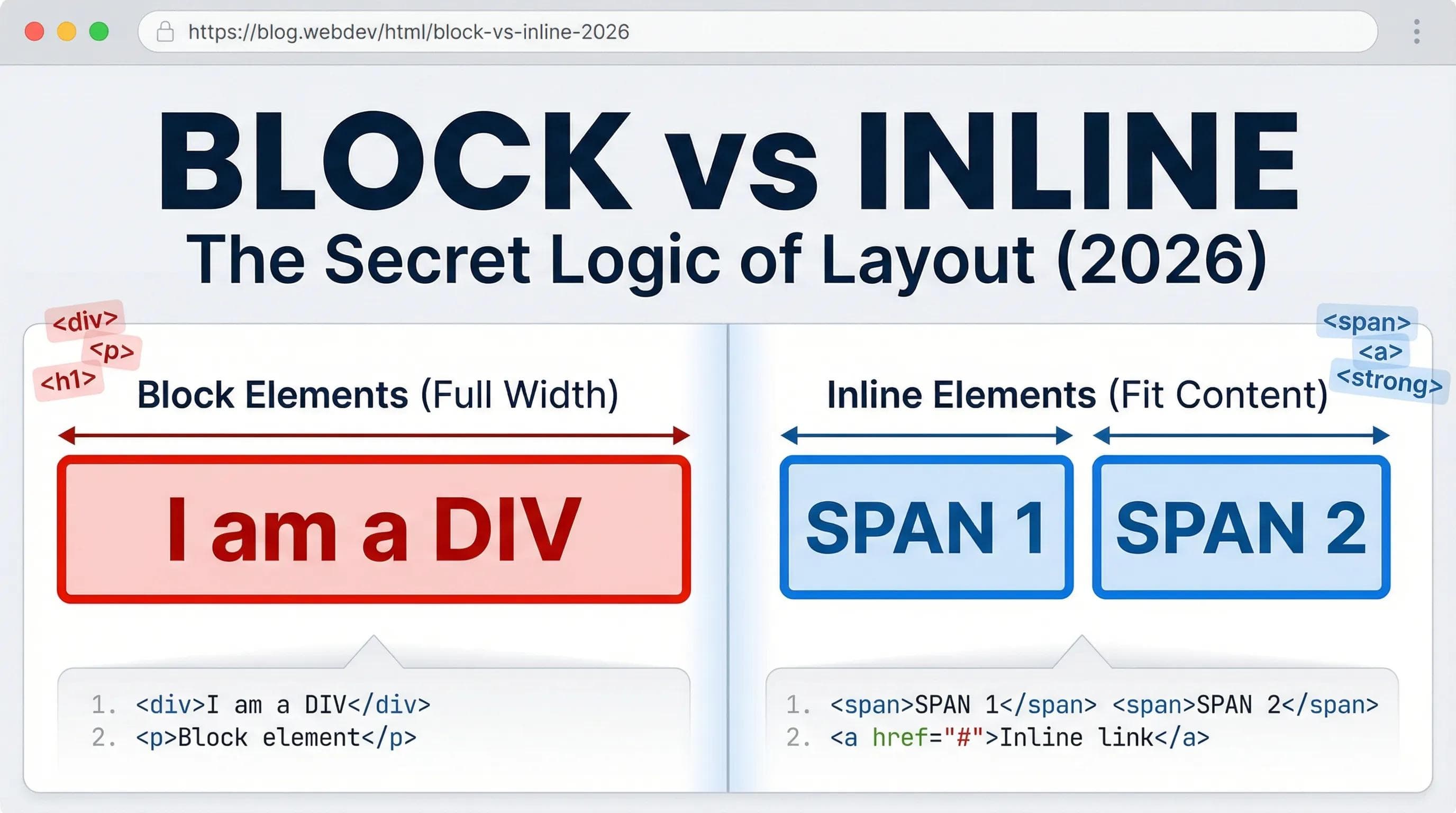
The Mystery of the "New Line"
In the previous blogs, did you notice a weird pattern?

- When you wrote
<h1>and then<p>, the paragraph automatically started on a New Line. - But when you wrote
<b>and then<a>, they sat happily Next to Each Other.
Is this random? No. This is the DNA of HTML.
Every single tag in HTML belongs to one of two tribes:
- The Block-Level Elements (The Greedy Ones).
- The Inline Elements (The Polite Ones).
Understanding this difference is the secret to controlling your website's layout.
Tribe 1: Block-Level Elements (The Landlords)
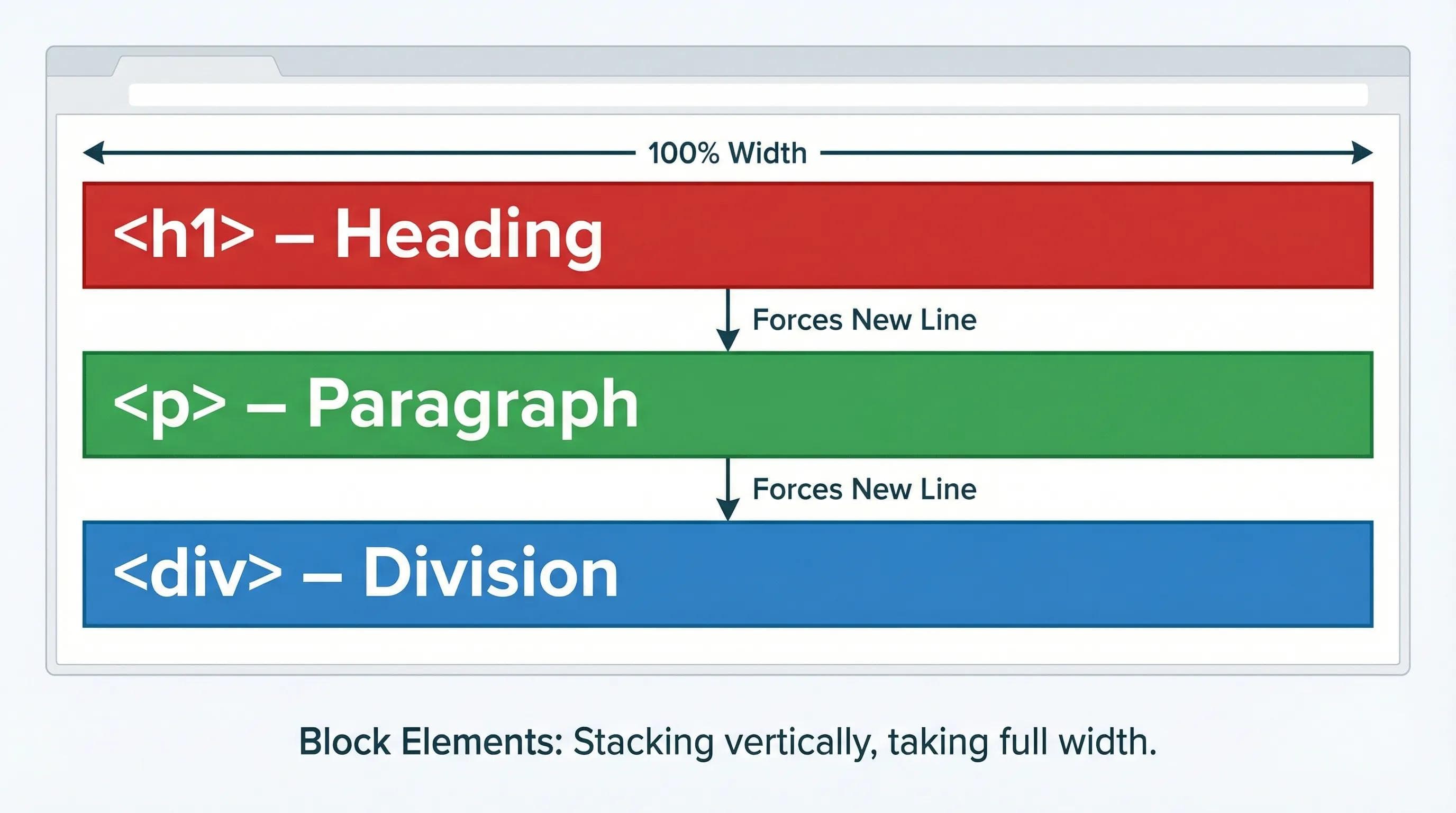
These elements are "Greedy." Even if they have very little text, they claim the Full Width of the screen.
Characteristics:
- Always starts on a New Line.
- Takes up 100% width (from left edge to right edge).
- Examples:
<h1>,<p>,<ul>,<li>,<table>, and the most important one:<div>.
The Analogy: Think of a Landlord who buys the entire floor of a building. Even if he lives alone in one room, he owns the whole floor. No one else can live on that floor.
Tribe 2: Inline Elements (The Commuters)
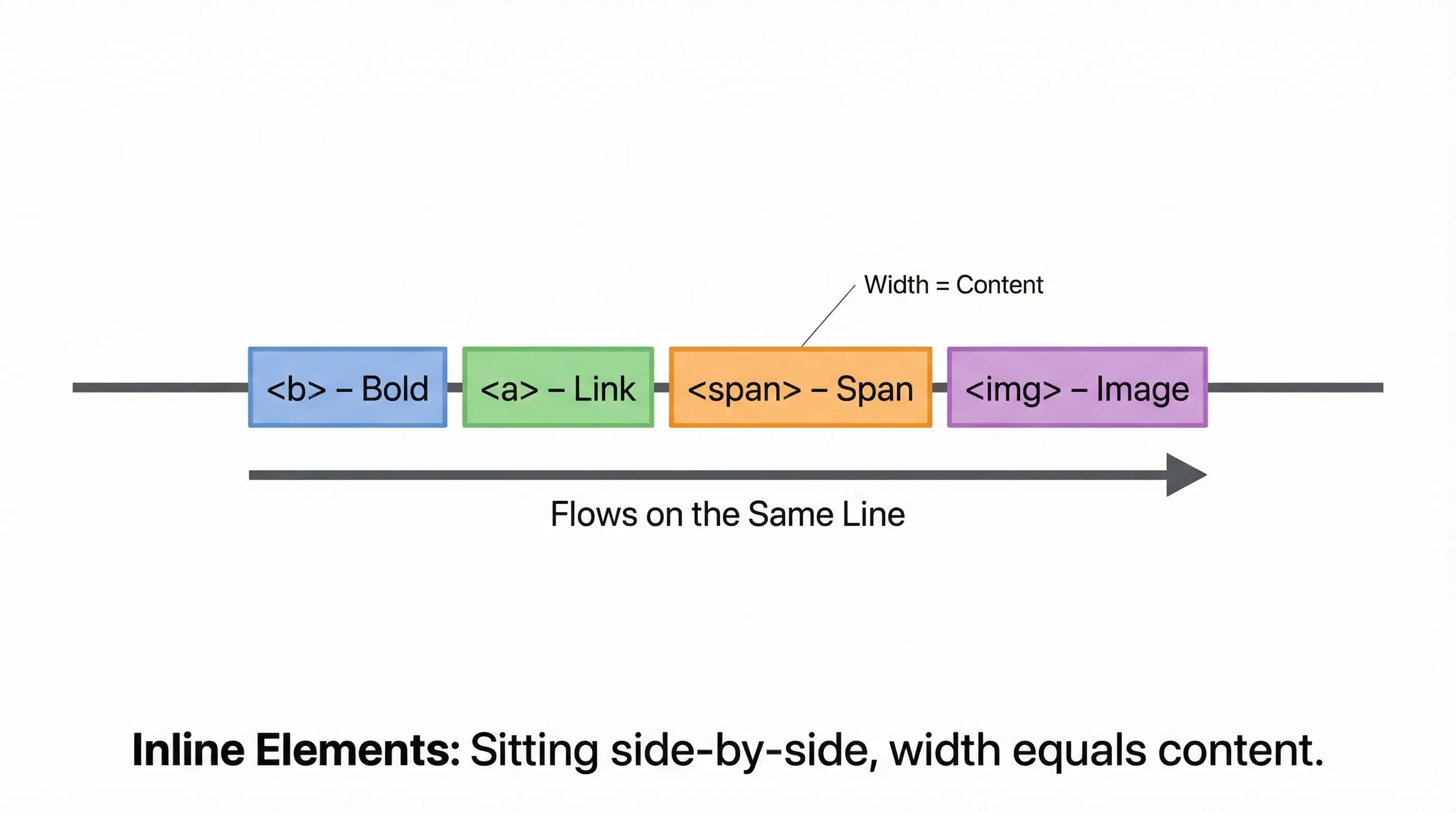
These elements are "Polite." They only take up as much space as they need.
Characteristics:
- Stays on the Same Line (if there is space).
- Width = Content. (If the text is small, the box is small).
- Examples:
<a>,<img>,<b>,<strong>, and the most important one:<span>.
The Analogy: Think of passengers on a Metro Train. They sit tight next to each other to save space. They don't block the whole seat row.
The Empty Boxes: <div> vs. <span>
Sometimes, you don't want a Heading or a Paragraph. You just want a plain, empty container to group things together.
This is where the two most common tags in web development come in:
1. The <div> (Division)
- Type: Block Element.
- Role: The "Cardboard Box" of the web. We use it to group elements together.
- Example: You want to group a Heading and a Paragraph to create a "Profile Card." You wrap them in a
<div>.
2. The <span>
- Type: Inline Element.
- Role: Used to grab a specific word inside a paragraph or heading to style it.
- Example: You want to make just the word "Love" red inside a sentence. You wrap it in a
<span>.
Visual Proof: The Border Test!
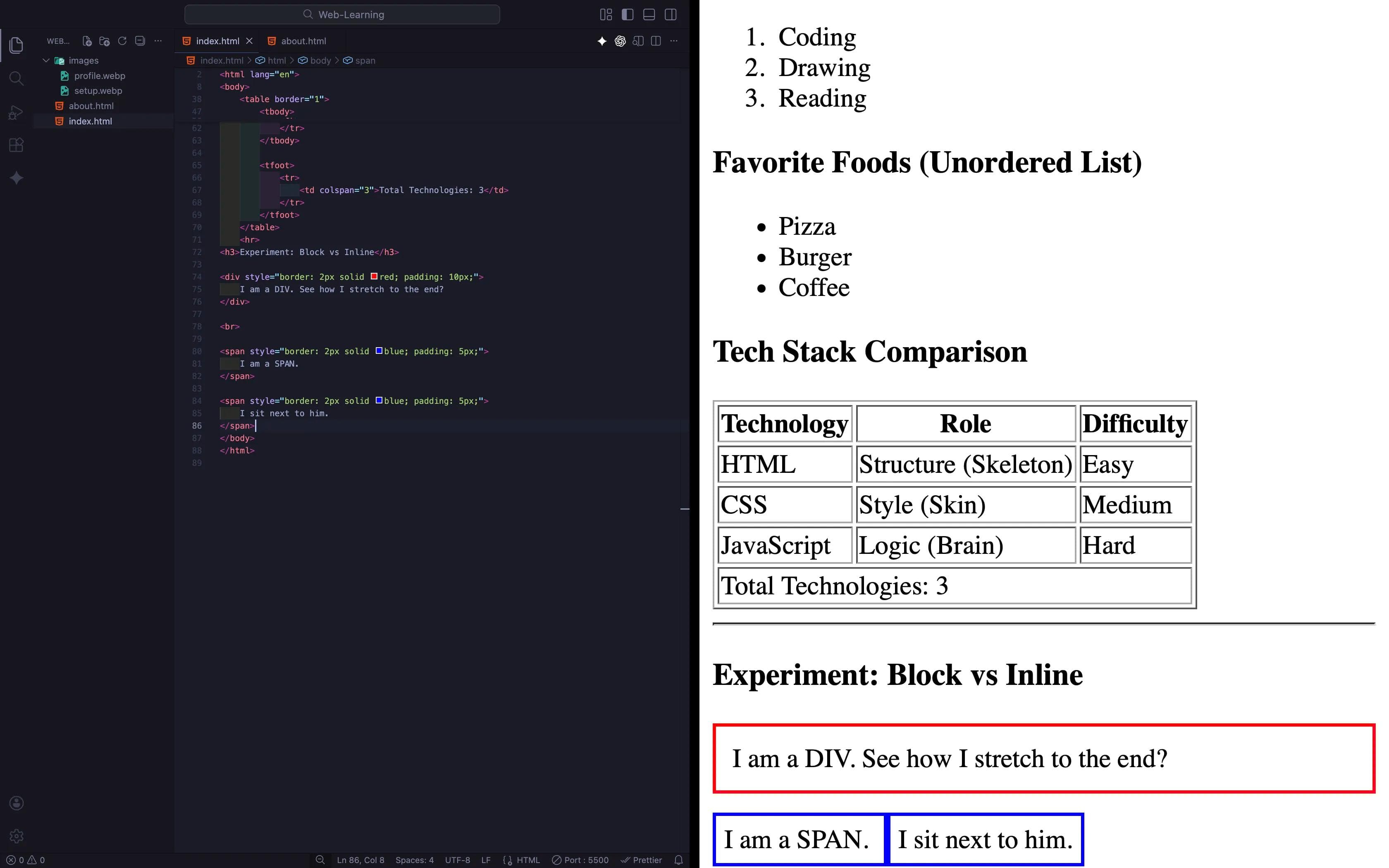
We can't usually see "Block" and "Inline" boxes because they are transparent. So, let's paint them to see how they behave.
Step 1: Open your
index.html. Step 2: Scroll to the very bottom of your
<body> (after the Table). Step 3: Add this specific "Experiment Section":
html
<hr>
<h3>Experiment: Block vs Inline</h3>

<div style="border: 2px solid red; padding: 10px;">
    I am a DIV. See how I stretch to the end?
</div>

<br>

<span style="border: 2px solid blue; padding: 5px;">
    I am a SPAN.
</span>

<span style="border: 2px solid blue; padding: 5px;">
    I sit next to him.
</span>
Step 4: Open Live Server.
- Look at the Red Box (
div): See how it stretches all the way to the right edge? That is a Block. - Look at the Blue Boxes (
span): See how they sit side-by-side? That is Inline.
NOTE: Once you have understood the concept, delete this experiment code. We don't want red and blue boxes on our final profile page!
The AI Angle: "Divitis" (The Div Disease)
AI tools love
<div> tags. If you ask ChatGPT to build a layout, it might give you code like this:html
<div>
  <div>
    <div>Hello</div>
  </div>
</div>
This is called "Divitis" (Overuse of Divs). While
<div> is useful, don't use it for everything. Use semantic tags like <p> for text and <button> for buttons."A Div is a box. Don't put a box inside a box inside a box unless you have to."
Practical Task: The Highlighter & The Card
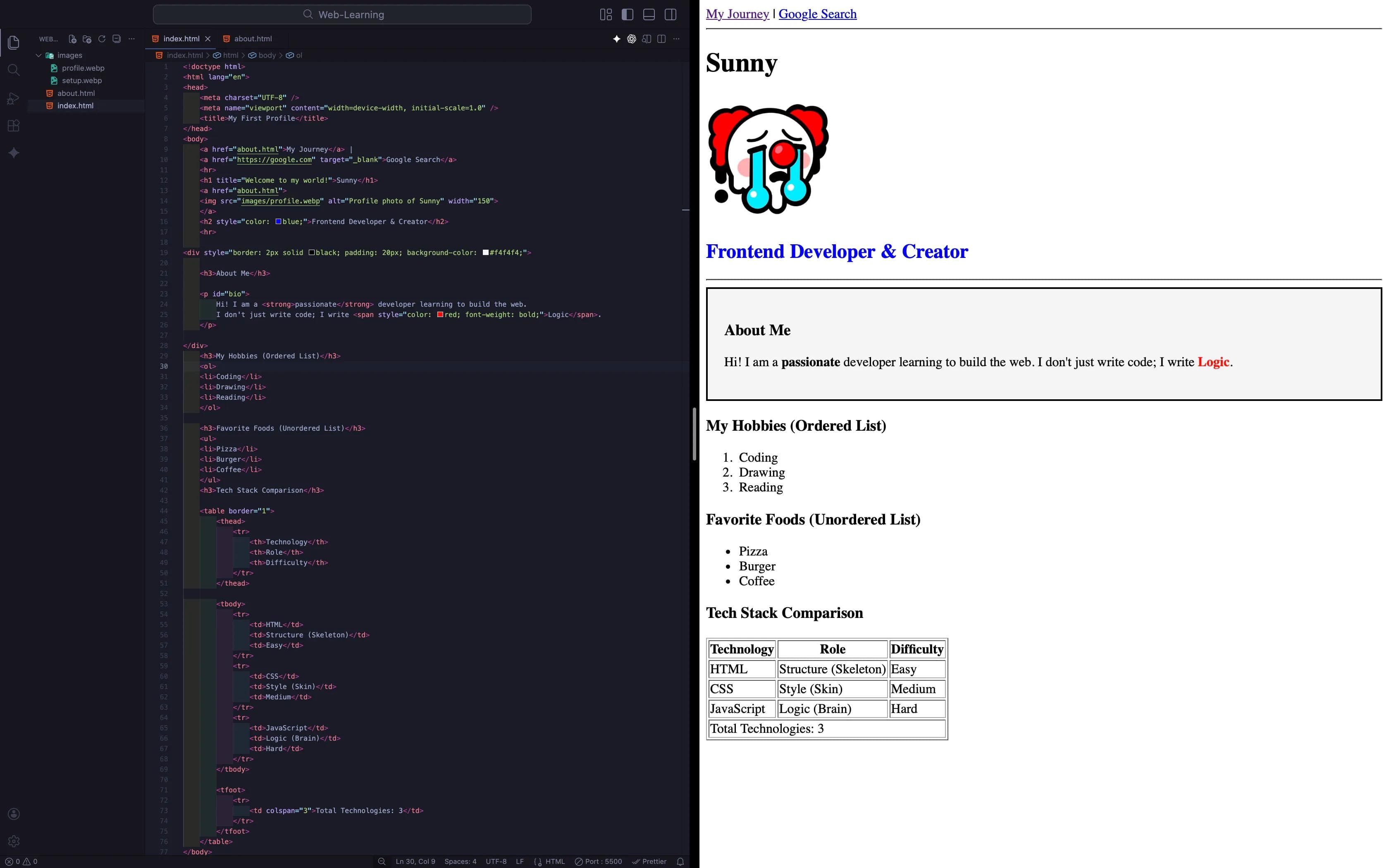
Now, let's apply this to your real content. We will group your "About Me" section inside a box (
<div>) to make it look like a distinct card, and highlight a skill using <span>.Step 1: In
index.html, find your "About Me" section. Step 2: Wrap it inside a
<div> and update the paragraph like this:html
<hr>

<div style="border: 2px solid black; padding: 20px; background-color: #f4f4f4;">

    <h3>About Me</h3>

    <p id="bio">
        Hi! I am a <strong>passionate</strong> developer learning to build the web.
        I don't just write code; I write <span style="color: red; font-weight: bold;">Logic</span>.
    </p>

</div>
Result:
- The
<div>acts like a container. It pushed a border around the whole block (The Card). - The
<span>sits inside the paragraph and styles only the word "Logic" (The Highlighter).
Level Up: Combine Everything (The Ultimate Card)
A
<div> is just a box. But if you put the right things inside it, it becomes a Component. Let’s combine everything we have learned so far:- Blog 6 (Links): We need an action button.
- Blog 7 (Images): We need a face for the card.
- Blog 10 (Div/Span): We need to structure it.
Task: Go to your
index.html. We will completely transform the "About Me" section into a Professional Profile Card.Update your code like this:
html
<hr>

<div style="border: 2px solid #333; padding: 20px; background-color: #f9f9f9; width: 300px;">

    <img src="images/profile.jpg" alt="Profile Photo" width="100" style="border-radius: 50%;">

    <h3>[Your Name]</h3>

    <p>
        I am a <span style="color: red; font-weight: bold;">Full Stack</span> Developer.
        I love building logic.
    </p>

    <a href="about.html" style="background-color: black; color: white; padding: 10px; text-decoration: none;">
        View My Journey
    </a>

</div>
Observation:
- See how the
<div>holds the Image, Text, and Link together? That is a Block. - See how the
<a>(Link) acts like a button? - Congratulations! You just built your first UI Component.
Time to Experiment!
Don't just copy-paste this! Go ahead and play with the code.
Understanding specific rules is good, but seeing them fail is better. Let's try to break the rules to understand why they exist.
1. The Illegal Move: Try putting a Big Box (
<div>) inside a Paragraph (<p>).html
<p>
    This is a paragraph.
    <div>I am a Big Box inside a paragraph.</div>
</p>- Result: Open "Inspect Element" in your browser. You will see the browser forcibly kicked the
<div>out of the paragraph. It is illegal code!
2. The Missing Close: Create a
<div> with a border, write some text, but delete the closing </div> tag. Then write another <div> below it.- Result: The second div gets swallowed by the first one. Your entire layout breaks instantly if you forget to close a container.
3. The Span Spam: Wrap every single letter of a word in a separate
<span> with different background colors.html
<span style="background: red">H</span>
<span style="background: yellow">T</span>
<span style="background: green">M</span>
<span style="background: blue">L</span>
Result: See how they line up perfectly? That is the power of Inline elements.
Conclusion
You now possess the mental model of a Frontend Developer. When you look at a website, don't just see "Text" and "Images." See Boxes.
- Big Boxes (
div,section) stacking on top of each other. - Small Boxes (
span,a,img) sitting next to each other.
But wait... We have built pages that display information beautifully. But the web is a two-way street. Right now, the user can read your website, but they can't talk back.
How do we let the user type their name? How do we let them login? How do we collect data?
In the next blog post, we will start building HTML Forms. We will learn about the Input tag, the importance of Labels, and how to create a Login structure.
See you in the next post!
You can Read next part from here - READ NOW!
HTML Series: Your First Step in Modern Web Development (2026)
Step 10 of 22