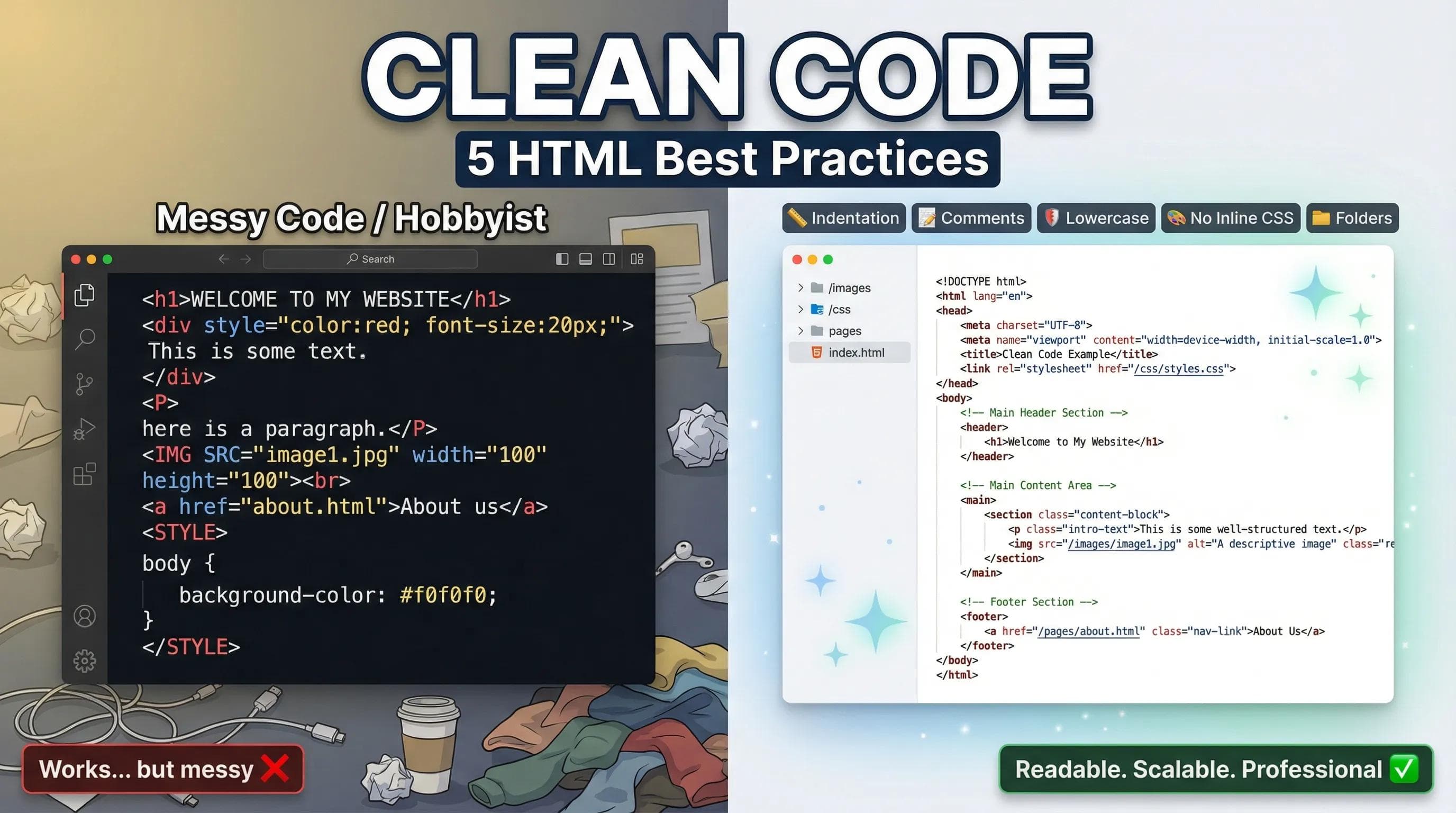
The "Messy Room" Analogy
Imagine you walk into a room. Clothes are thrown on the floor, books are under the bed, and plates are on the desk. You can live in that room. You can sleep there. But can you find your car keys in 10 seconds? Probably not.

Messy code is exactly the same. It might "work" in the browser (the user sees the website perfectly), but if you or another developer tries to fix a bug after 1 month, it will be a nightmare.
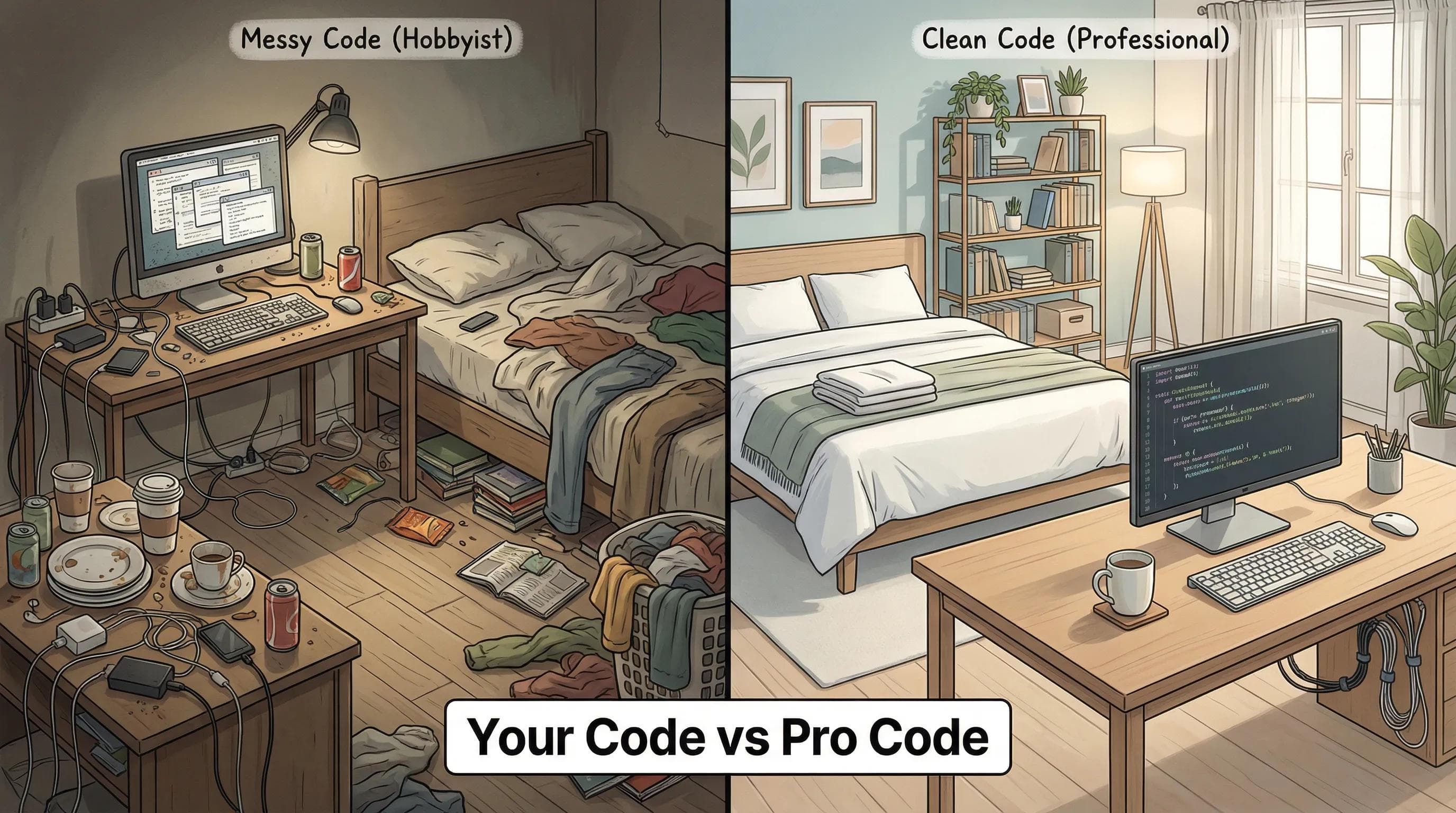
Today, we will learn the 5 Golden Rules that separate a "Hobbyist" from a "Professional Developer."
Rule 1: Indentation (The Visual Hierarchy)
HTML is a tree of parents and children. If a tag is inside another tag, it must be pushed to the right (Indented).
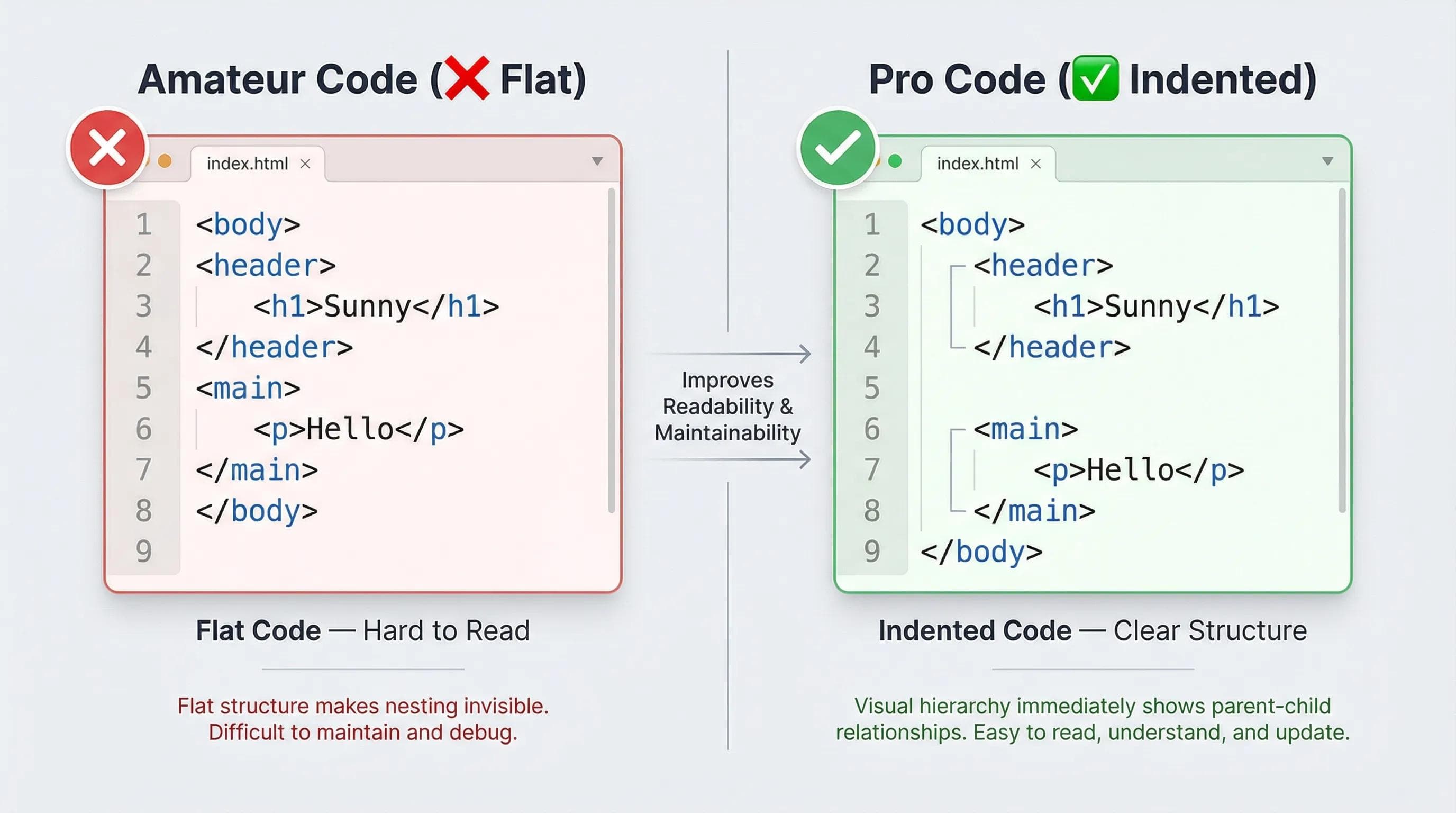
The Amateur Way (Flat Code): Everything is stuck to the left wall. It's hard to see where the<body>ends or where theheaderstarts.
html
<body>
<header>
<h1>Sunny</h1>
</header>
<main>
<p>Hello</p>
</main>
</body>
The Pro Way (Indented Code): Every time you open a container, press Tab. This creates a clear visual hierarchy.html
<body>
    <header>
        <h1>Sunny</h1>
    </header>

    <main>
        <p>Hello</p>
    </main>
</body>Rule 2: Meaningful Comments
Comments are notes to your future self. The syntax is: ``. The browser ignores them, but humans need them.
When to Comment:
- Don't comment obvious things:
<h1>Title</h1>(Useless). - Do comment on the structure or logic:
or.
html
<form>
    ...
</form>
Rule 3: Lowercase & Closing Tags (Discipline)
HTML is forgiving. If you write
<DIV> or forget </p>, the browser might fix it for you. But don't rely on luck.- Always Lowercase: Write
<div>, never<DIV>. It is the industry standard. - Always Close Tags: Even if
<li>works without closing, close it:</li>.
WARNING!
If you start using frameworks like React or Angular in the future, they are NOT forgiving. Your app will crash immediately if you miss a closing tag. Build the habit now.
Rule 4: Stop Using Inline Styles
This is the biggest mistake beginners make. Separation of Concerns:
- HTML: Structure (The Skeleton).
- CSS: Style (The Clothes).
— Do not mix them.
Bad Practice:
html
<h1 style="color: red; font-size: 50px; background: blue;">Hello</h1>🛑 STOP!
Never write CSS inside HTML tags unless absolutely necessary. It makes the code impossible to read.
Good Practice:
html
<h1 class="main-title">Hello</h1>Use a
class, and write the style in a separate CSS file (we will learn this in the next series!).Rule 5: Organized Folder Structure
Don't dump 50 files on your Desktop. A professional project must be organized.
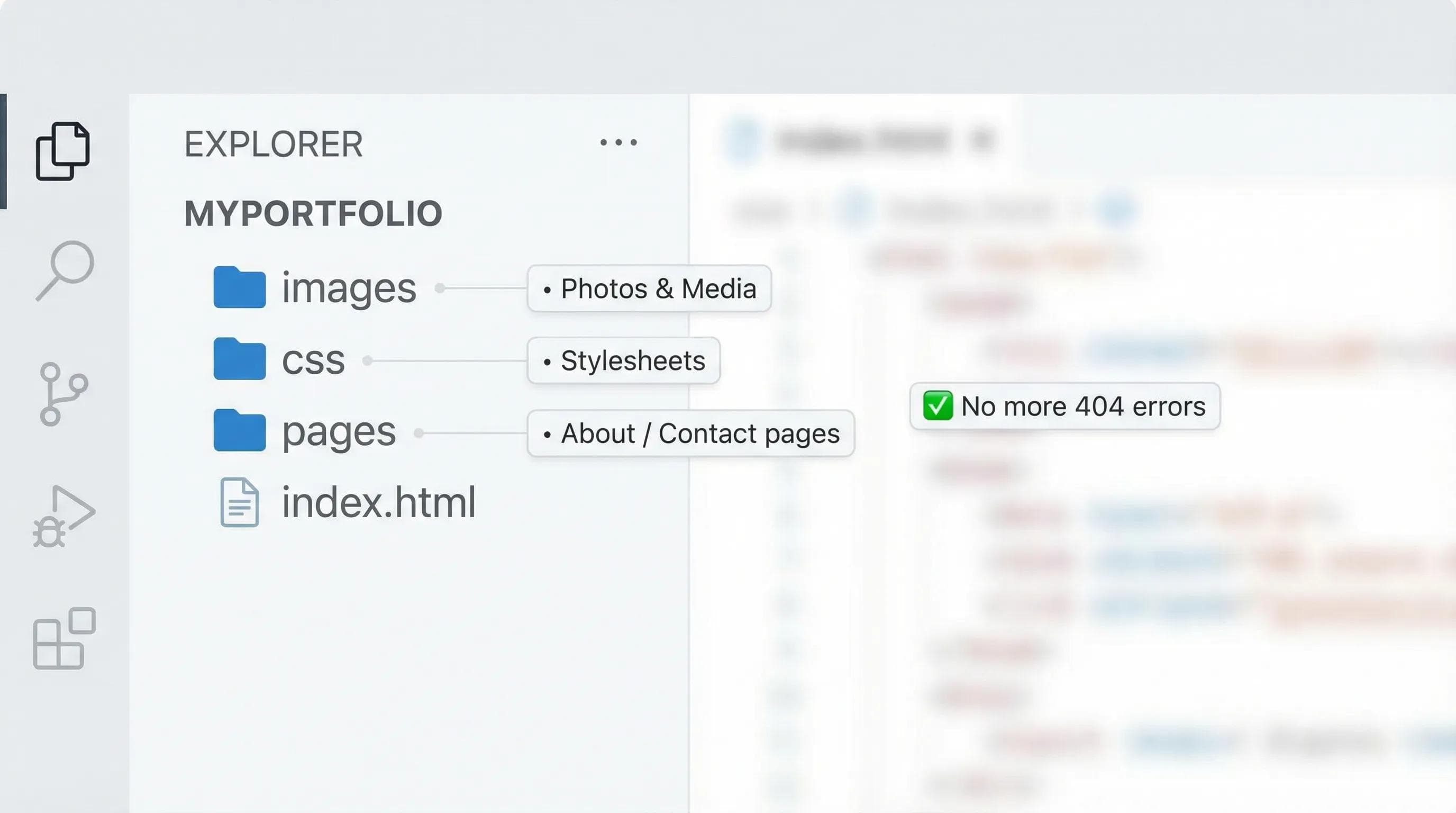
index.html(Main file sits outside)/images(Folder for all photos)/css(Folder for style files)/pages(Folder for other HTML pages like about.html)
If you keep your files organized, you will never get a "404 Image Not Found" error.
The AI Angle: AI is Fast, Not Clean
AI tools (like ChatGPT) often output "Flat Code" to save space or tokens. They also don't care about your specific folder structure.
Your Job: You are the Manager. AI is the Intern. If AI gives you messy code, Format It. If AI gives you inline styles, Move them to CSS.
Practical Task: The "Prettier" Magic
You don't have to format code manually. Let the machine do it for you.
Step 1: Open VS Code.
Step 2: Go to Extensions (The Blocks Icon).
Step 3: Search for "Prettier - Code formatter"
Step 4: Click Install.
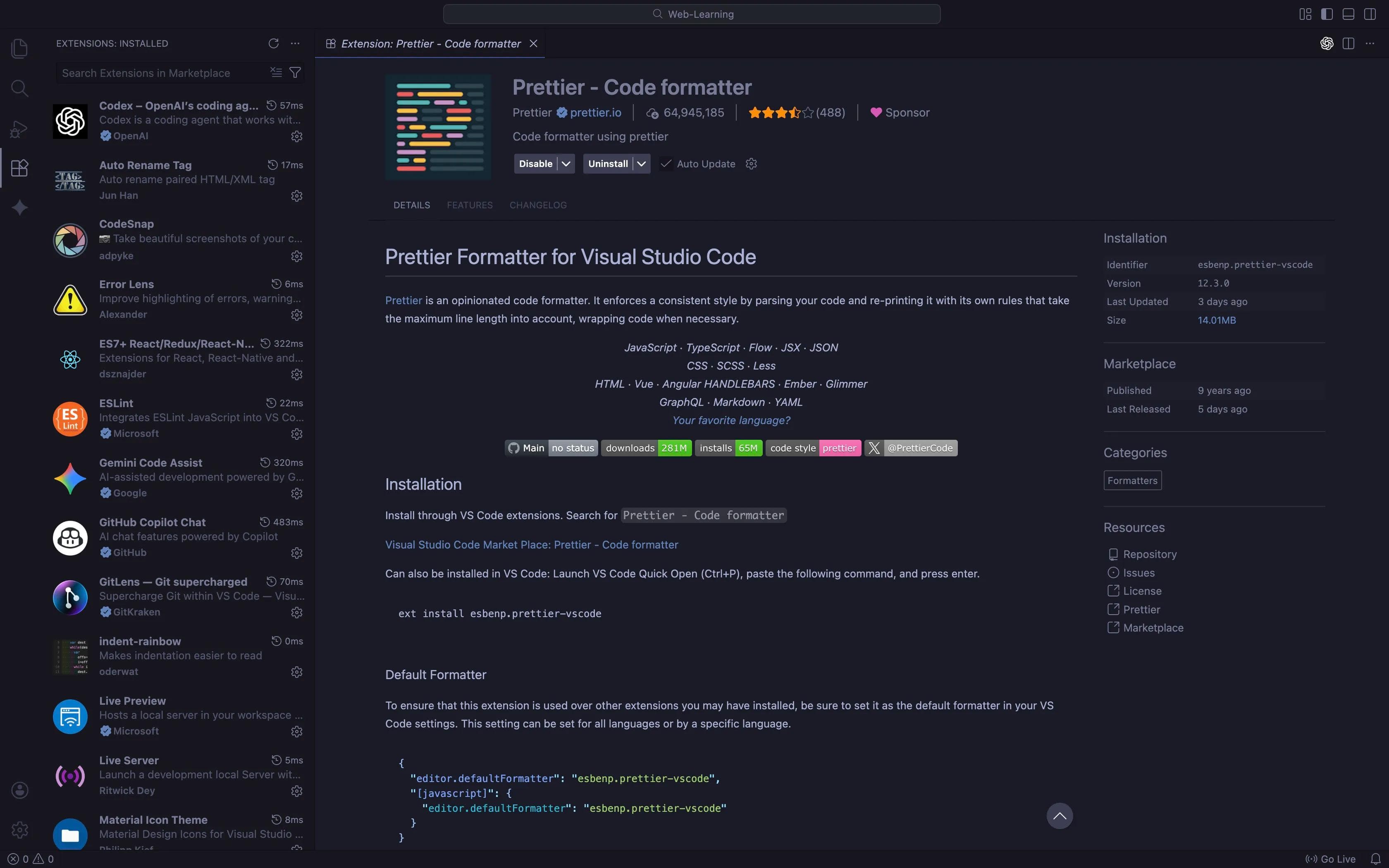
Step 5: Go to Settings > Search "Format on Save" > Check the box.
🛑 STOP! DO NOT FORMAT MANUALLY! Don't waste time pressing "Space" or "Tab" yourself. Just press Ctrl + S (Save).
The Magic: Go to your messy
index.html and press Save and Boom! VS Code will automatically fix your indentation, add spaces, and make your code look beautiful instantly.Checklist: Are You a Pro Yet?
Before you publish any page, run this mental checklist:
- Are all tags properly closed?
- Is the indentation correct? (Did Prettier run?)
- Did I remove inline styles?
- Are images inside the
images/folder? - Does the code have comments for big sections?
Conclusion
Congratulations!
You have completed the Learning Phase of HTML. You know how to structure pages, handle media, create forms, ensure accessibility, and write clean code.
But... do you remember all the tags we learned? There were 20+ tags!
<thead> <blockquote>, <figure>, <aside>... It is impossible to memorize everything. And you shouldn't.You just need a Reference Guide.
In the next blog, "The Ultimate HTML5 Cheatsheet," I will give you a single page that contains Every Important Tag categorized perfectly. This will be the only page you need to bookmark for the rest of your career.
See you in the next post!
You can Read next part from here - READ NOW!
HTML Series: Your First Step in Modern Web Development (2026)
Step 20 of 22