The "Broken Code" Mystery
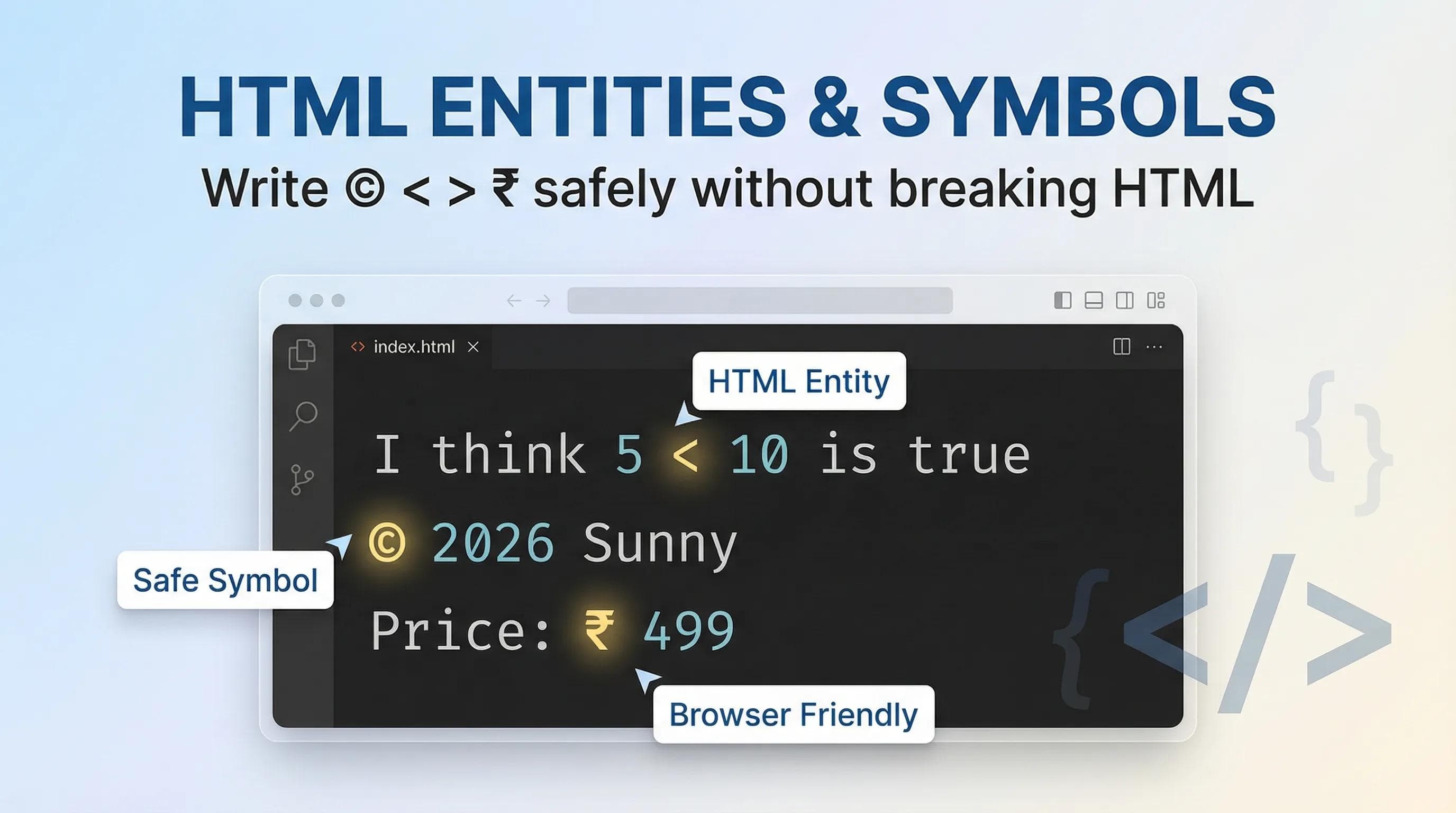
Let's try a small experiment. Go to your code and type this sentence in a paragraph: "I think 5 < 10 is true."

The Problem: The browser will panic. Why? Because when it sees the
< symbol, it thinks: "Oh! A new tag is starting here!" It expects a tag name like <div> or <p>, but it finds a number. This can break your entire page layout.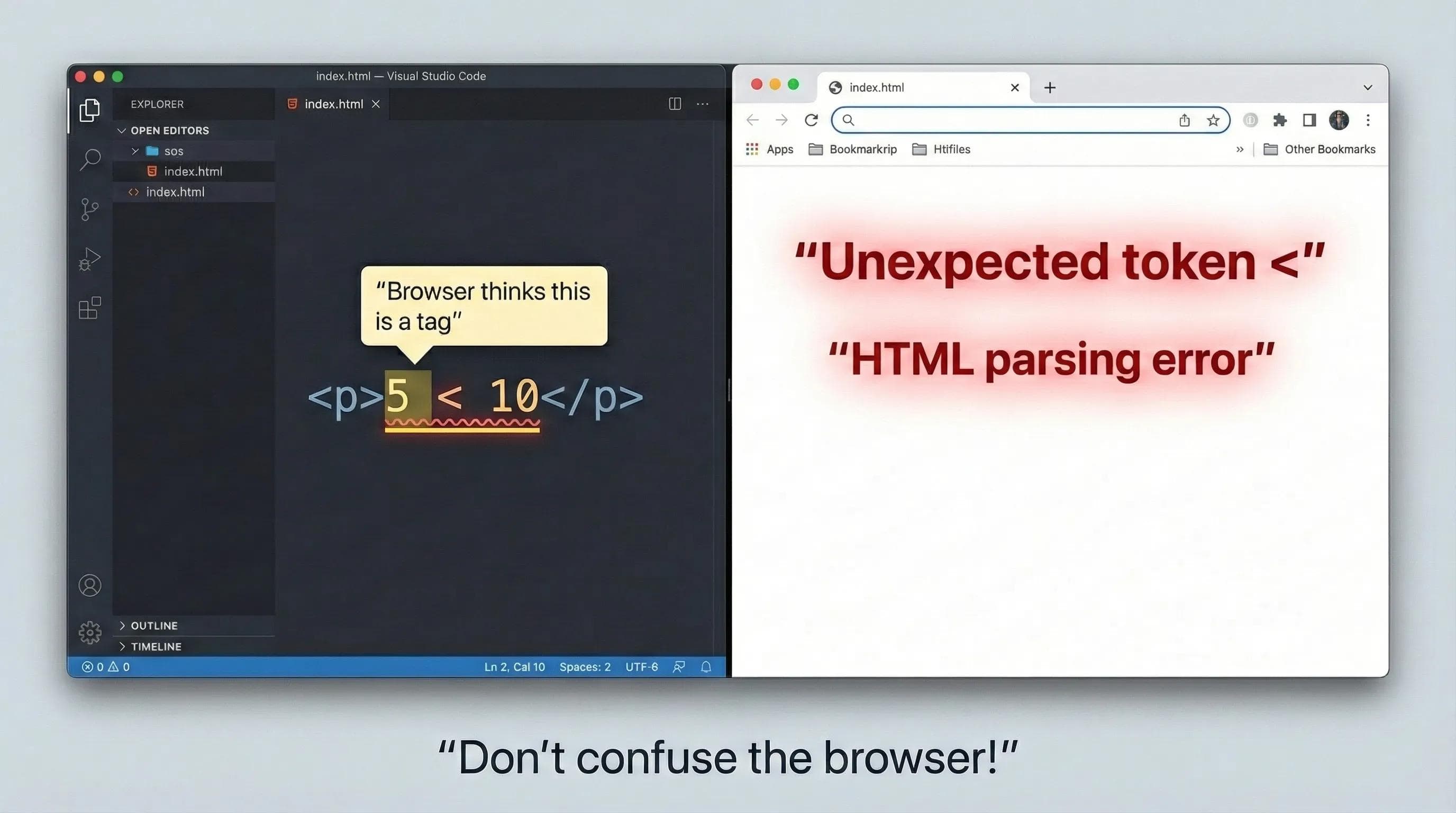
The Solution: You cannot type "Reserved Characters" directly. You must use their secret code names, known as HTML Entities.
1. The Big 3: Reserved Characters
These are the characters that control HTML syntax. You must escape them.
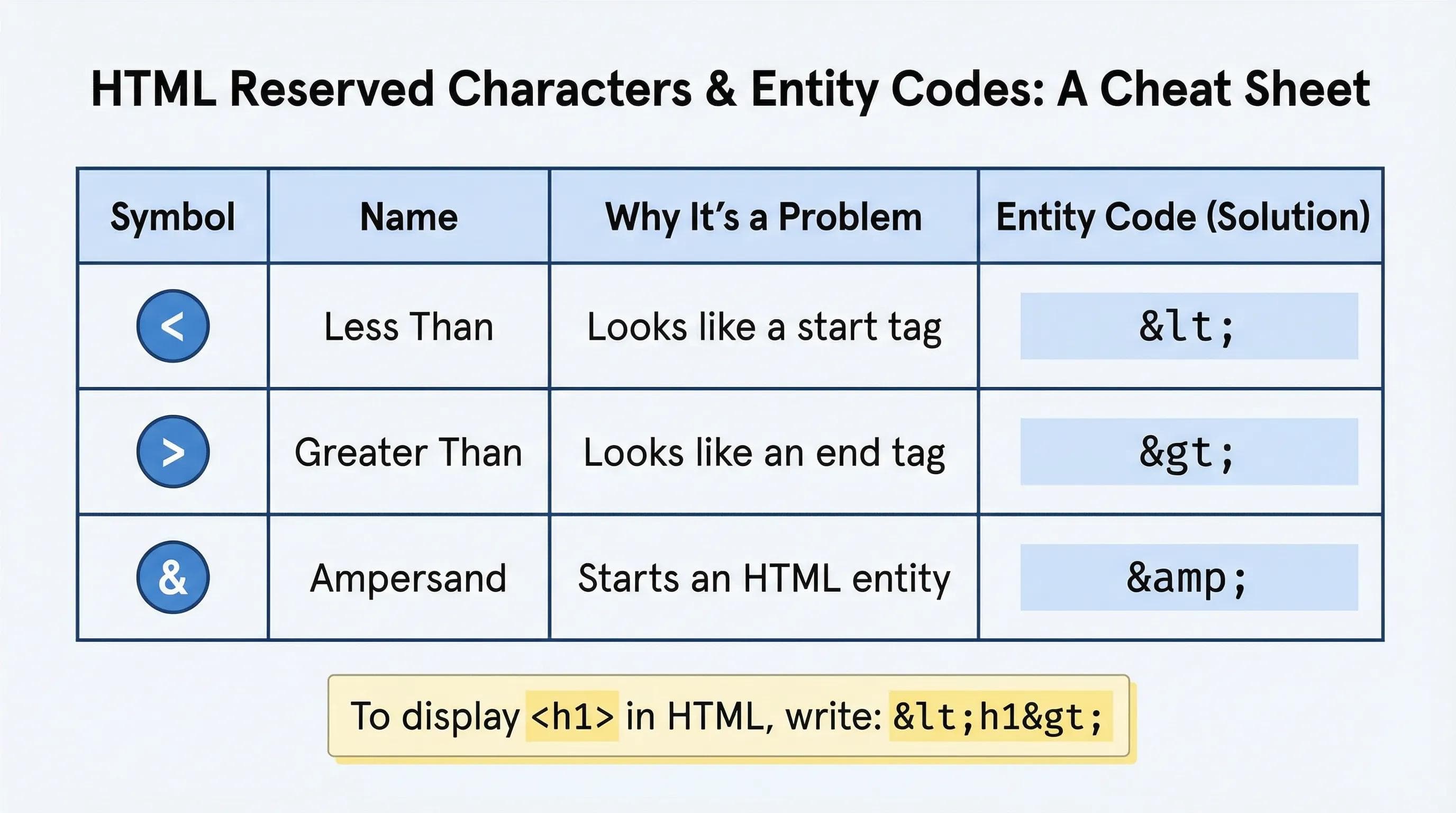
Example: To display the text
<h1>, you cannot just type it. You must write: <h1>2. The Invisible Glue: (Non-Breaking Space)
This is the most misunderstood entity in HTML history.
The Behavior: If you press "Space" 10 times in your code, HTML collapses it into 1 single space. The Fix: If you reallywant extra spaces, you use
(Non-Breaking Space).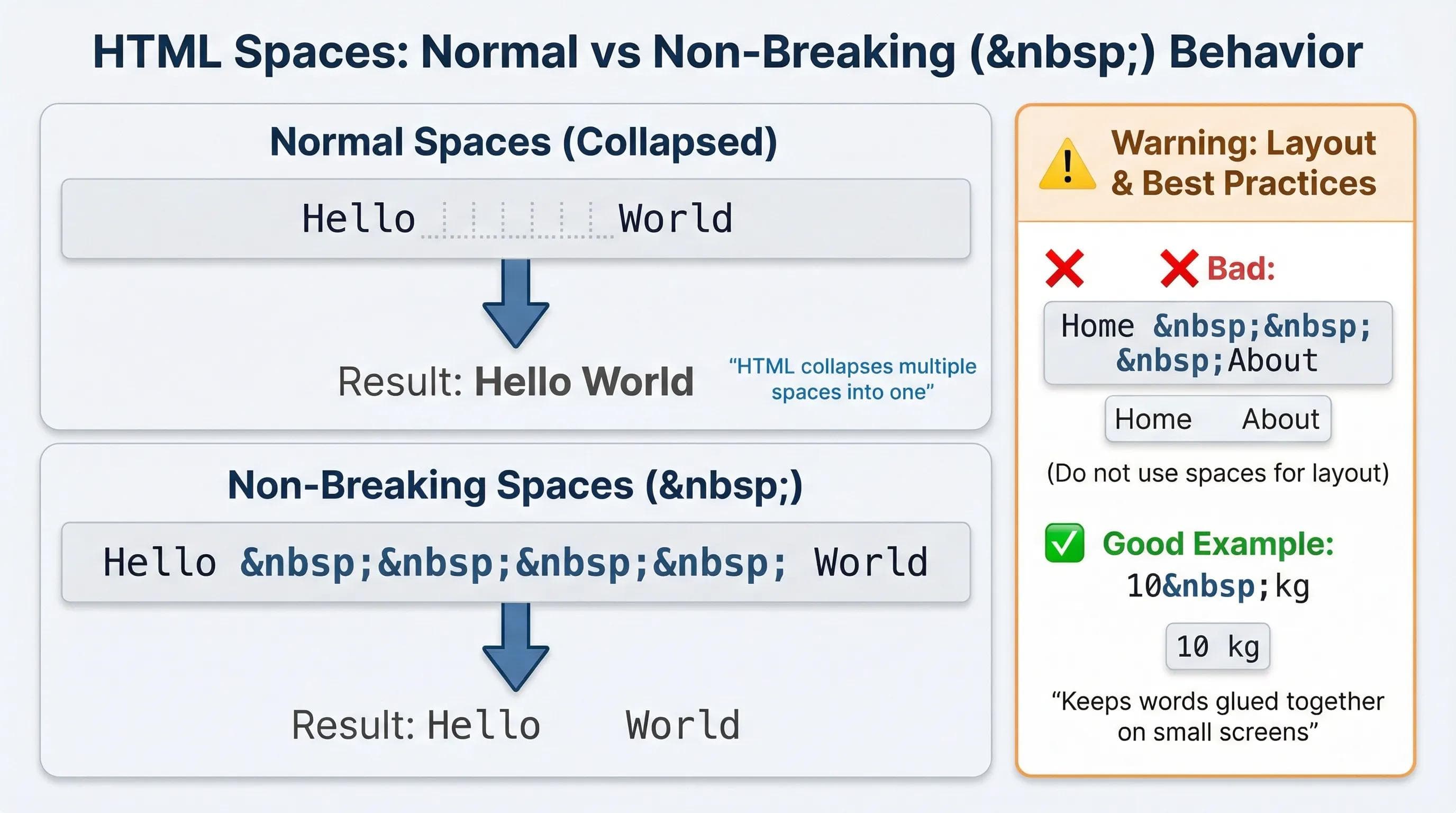
Do NOT use for layout.
Bad: Home About (Using spaces to push text to the right). Good: Use CSS margin or padding for gaps.
Use
only to "glue" words together. Example: 10 kg. This ensures that "10" and "kg" always stay on the same line and don't break apart on small screens.3. Professional Polish: Copyright & Currency
Look at the footer of any big website (Apple, Amazon, Google). Do they write
(c) 2026? No. They write © 2026.To look professional, you need correct typography.
- Copyright:
©→ © - Trademark:
™→ ™ - Registered:
®→ ® - Bullet:
•→ •
Currency Symbols
If you are building an Indian E-commerce site, you need the Rupee symbol.
- Rupee (₹):
₹ - Euro (€):
€ - **Dollar ($):**
$(Or just type$\)
Did you know Emojis are just characters?
While modern UTF-8 allows you to copy-paste emojis directly (😀), sometimes you need the code to be safe across old databases. 😀 → 😀 🚀 → 🚀
The AI Angle: Reliability
AI tools often copy-paste the direct symbol (e.g., they will just write
©). Technically, this works in modern browsers.But... if your file encoding ever breaks (e.g., opening the file in an old text editor),
© might turn into `` (The "Unknown Character" Diamond). Using © is bulletproof. It works everywhere, forever.6. Practical Task: The Professional Footer 🛠️
Let's polish our
index.html footer. It currently looks plain.Step 1: Open
index.html. Step 2: Scroll down to the
<footer> section. Step 3: Update the code using Entities.
🛑 STOP! DO NOT JUST COPY PASTE! Reading the code is not enough. You need to type these strange codes (©,₹) yourself to remember them.
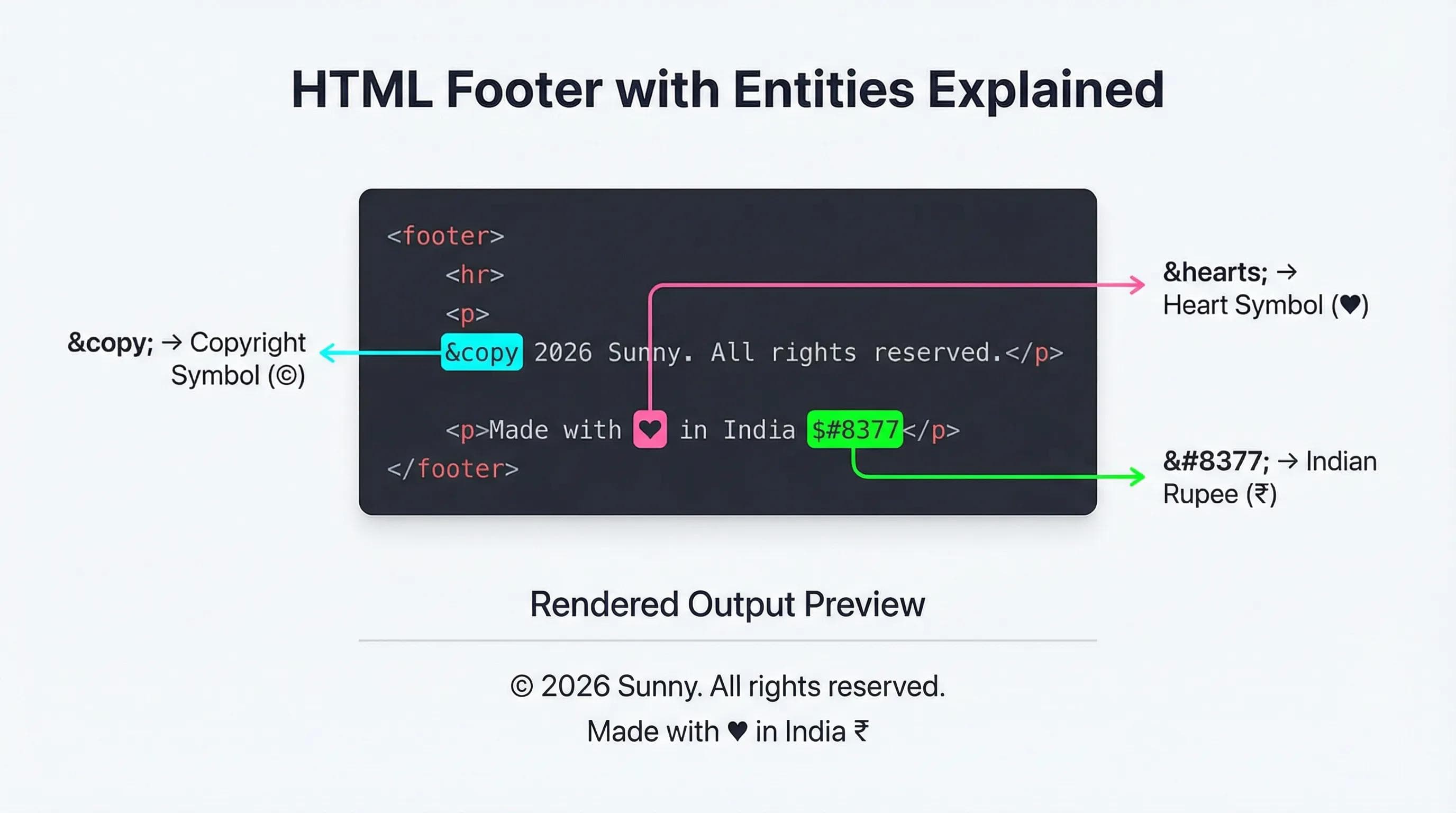
html
<footer>
<hr>
<p>© 2026 Sunny. All rights reserved.</p>
<p>Made with ♥ in India ₹</p>
</footer>Step 4: Open Live Server.
- Look at the bottom.
- See the clean ©?
- See the ♥?
- See the ₹?
That is the sign of a detailed developer.
Summary Table: Cheat Sheet
| Symbol | Entity Name | Entity Number |
|---|---|---|
| < | < | < |
| > | > | > |
| © | © | © |
| ♥ | ♥ | ♥ |
| ₹ | N/A | ₹ |
| Space | |   |
Conclusion
We have cleaned up our code, added structure, optimized for SEO, and now polished our symbols.
But we are forgetting someone. We can see the website. We can see the emojis. We can see the colors. But what about users who cannot see? What about blind users who rely on "Screen Readers" to browse the web?
If your code isn't "Accessible," you are blocking 15% of the world's population from your site.
In the next blog, "Web Accessibility (A11y)," we will learn the moral duty of a developer. We will learn about Alt Text, ARIA Roles, and how to make a website that everyone can use.
See you in the next post!
You can Read next part from here - READ NOW!
HTML Series: Your First Step in Modern Web Development (2026)
Step 18 of 22